Threat Track: penetration testing management and reporting
A Django platform that gives penetration testing teams one place to organize assessments, track findings, collaborate on delivery, and turn technical results into client-ready reports.
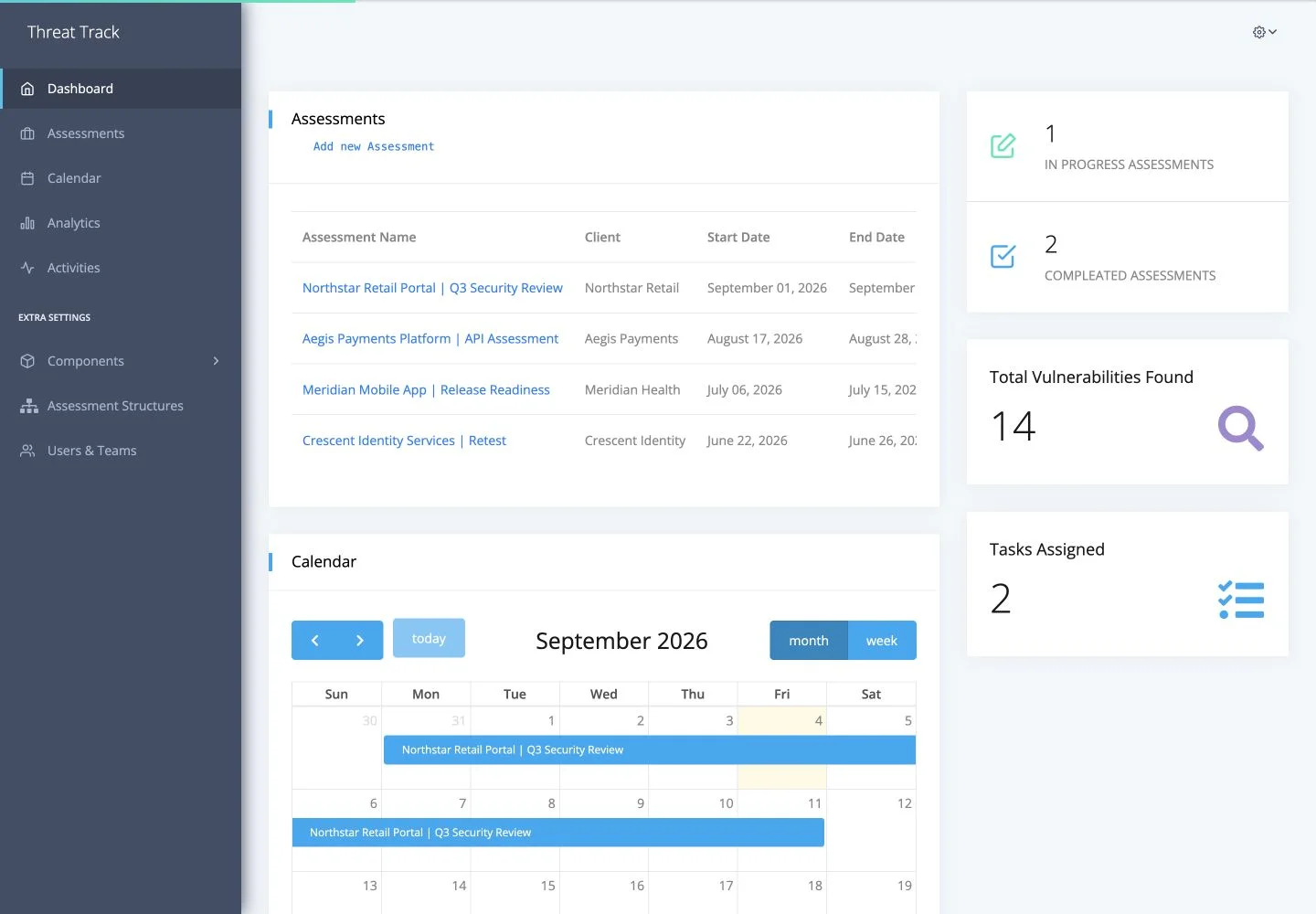
Threat Track is an open-source workspace for managing penetration testing engagements from setup to delivery. It connects clients, assessments, assigned team members, tasks, files, and vulnerabilities so the work stays organized throughout an engagement.
Its reporting system turns the information collected during an assessment into customizable Word documents. Teams can build reusable assessment structures, define their own fields, attach evidence, visualize risk data, and produce a consistent report without rebuilding the document by hand for every client.
What Threat Track does
- Organizes clients, security assessments, team assignments, tasks, files, and assessment activity.
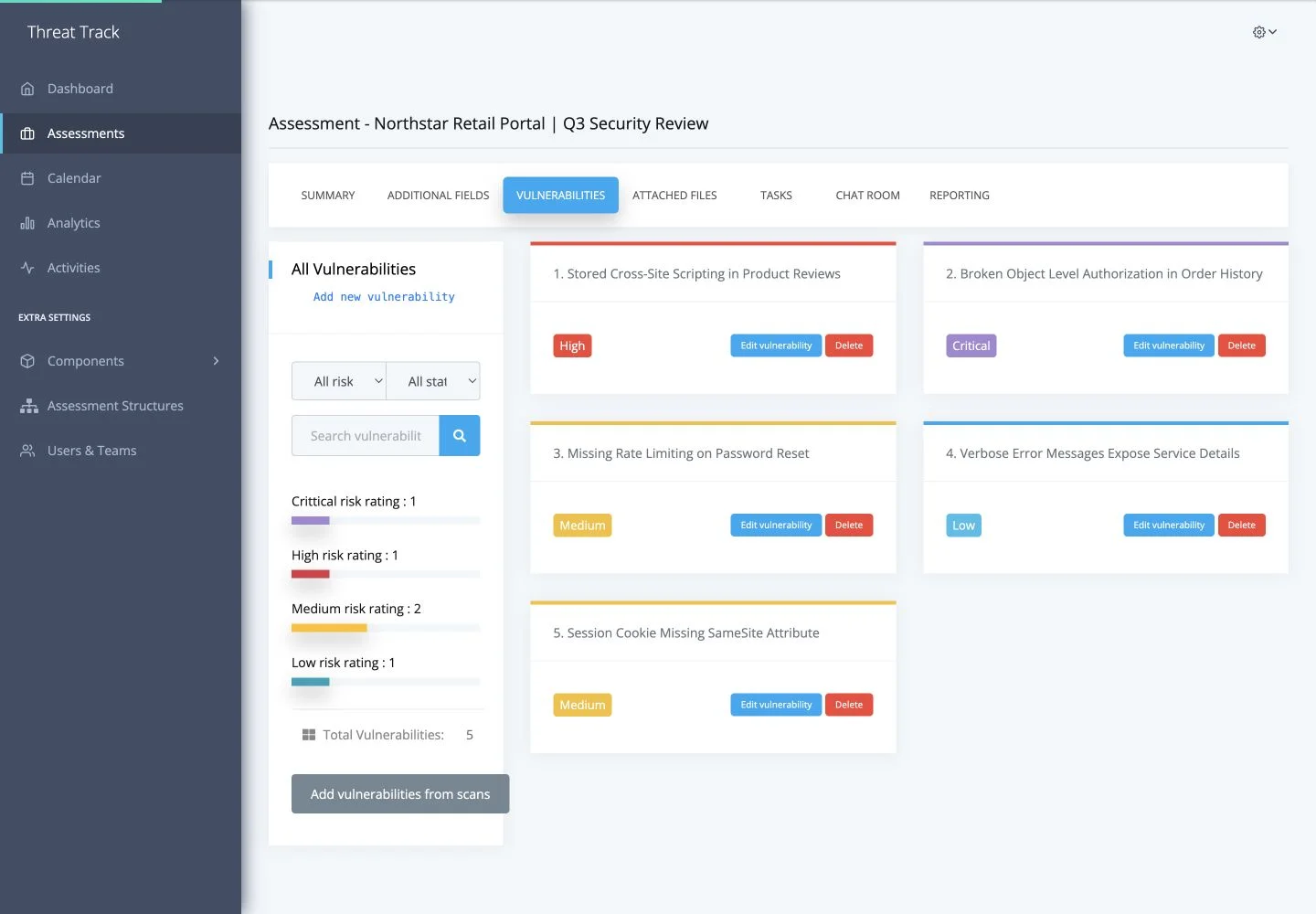
- Tracks vulnerabilities with risk ratings, CVSS scores, evidence, remediation details, and custom fields.
- Provides reusable assessment structures and Word templates for consistent delivery across engagements.
- Generates client-ready reports with dynamic content, charts, screenshots, logos, and internal document links.
- Supports role-based access and deployment across local and cloud-backed environments.
My contribution
I joined the project after its initial foundation and contributed five of its seven commits. My work focused on turning the application into a more complete, deployable product and making its assessment-to-report workflow more flexible and reliable.
I expanded the assessment, client, component, template, and reporting workflows; connected assessments to reusable structures; and added configurable template files, custom fields, chart settings, and template downloads. I also built the default Threat Track Word template and integrated it into the seeded application setup.
Productionizing the platform
I containerized the application with Docker Compose and Nginx, added health checking and database initialization tooling, and introduced environment-based configuration for local PostgreSQL, Azure Database for PostgreSQL, and AWS RDS. Media can be stored locally or through S3-compatible and Azure Blob storage, allowing the same application to fit several deployment environments.
For production security, I corrected CSRF trusted-origin handling for multiple hosts and made secure session and CSRF cookies configurable. This resolved the CSRF failure that appeared when Django ran with DEBUG disabled while keeping local development practical.
Reliable report generation
I hardened the Word report pipeline around incomplete or optional data. Chart images are now bound immediately before rendering to avoid document corruption, while missing chart settings, report fields, client logos, vulnerability data, and other nested values receive safe fallbacks instead of crashing the export.
I documented the result with a quick setup guide, full deployment documentation, environment examples, and a dedicated guide to authoring Word templates. Together, these additions made the platform easier to deploy, customize, and hand over.
Source code
Threat Track is available on GitHub. Explore the repository, setup instructions, and implementation at github.com/ahmedmohfarou2/threat-track.